Python in Visual Studio
Visual Studio is a pretty capable IDE for writing Python. In this post, I am writing down some simple first steps to enable Python support in Visual Studio, and some benefits that you can get from Visual Studio when writing in Python.
Installation
1. Download Visual Studio from the website. You can use either the FREE versions as well.
http://www.visualstudio.com/downloads/download-visual-studio-vs
If you are looking for the free version, you can choose either Visual Studio Express 2013 for Web or Visual Studio Express 2013 for Windows Desktop.
2. Download Python Tools for Visual Studio (from Microsoft)
Usage
1. Create new project
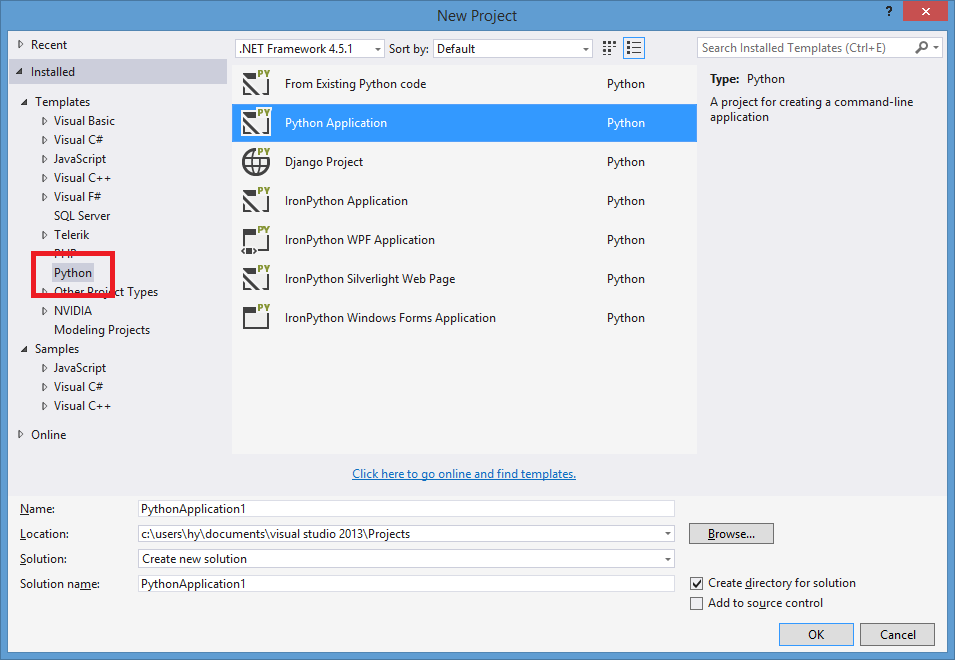
2. Write codes
3. Run

Something you can get when writing Python in Visual Studio
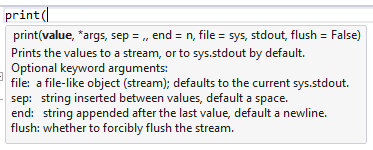
Intellisense
Intellisense works with both built-in Python functions and external packages (of course you will have to install the package first).
Full debugging experience
- Compile error listing & highlighting
- Break on exception
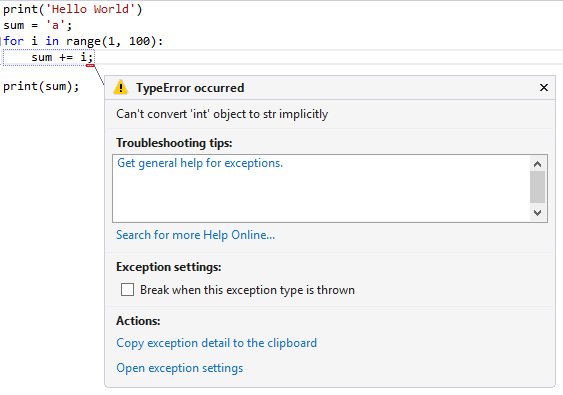
- Breakpoint, step through code
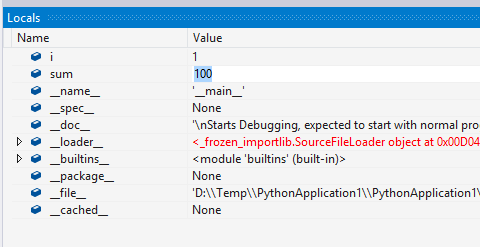
- View/Edit local variable
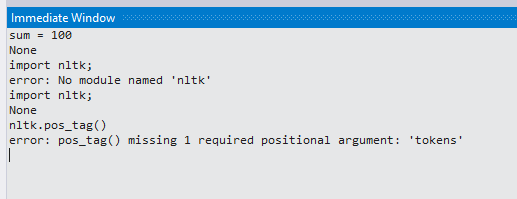
Immediate window to write in interpreter mode
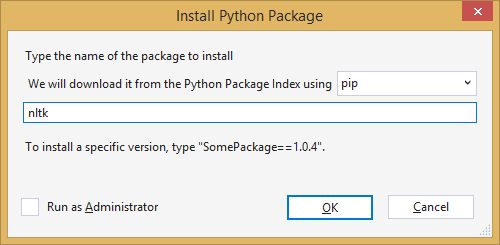
Install new packages (e.g. Theano, nltk, scipy, numpy) directly inside the IDE using pip, easy_install or conda
Those package installation tools also handle automatic dependency discovery (e.g. installing Theano will also install scipy).
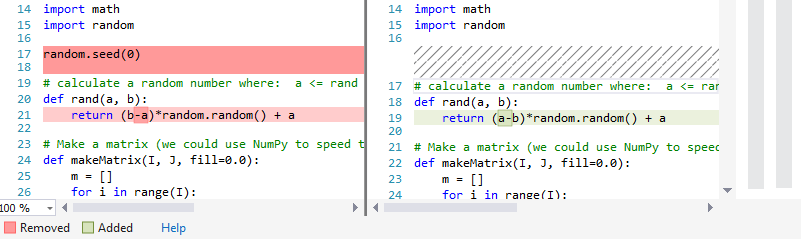
Source-control integration (e.g. TFS, Git, SVN)
You can view your change list, diff each files, update, commit, pull, push, etc. directly inside Visual Studio.
More information
http://www.i-programmer.info/news/216-python/7888-python-tools-for-visual-studio-gets-new-focus.html
Comments
1 comment from the original WordPress blog.
Hello, do you know how can i import scipy to use in visual studio on windows IOT core template?